By mid-afternoon the signs are familiar to anyone who works at a desk: a tight neck, a dull ache low in the back, shoulders creeping up towards the ears. The usual explanation is “I have terrible posture,” and the usual fix is a stern reminder to sit up straight, which lasts about four minutes.
The reason that never works is that the problem is not really the shape you sit in. It is how long you stay in any shape at all. Once you understand that, preventing neck and back pain at work becomes far simpler, and far less about willpower.
There is no single perfect posture, and holding one is the real problem
The idea that there is one correct way to sit, and that slouching slowly damages your spine, is one of the most persistent beliefs in health, and the evidence does not support it. Reviews of the research have found no strong link between a particular sitting posture and back or neck pain, and no good evidence that avoiding a “bad” posture prevents it (Journal of Orthopaedic & Sports Physical Therapy).
Australian guidance for GPs makes the same point: the tidy split between good and bad posture is not backed by the science, and differences in how people sit are simply normal. What does cause trouble is a sustained posture, holding any one position, upright or slouched, for hours without a break.
This reframes the whole problem. Your tissues do not mind a relaxed slouch for a while, and they do not reward a rigid, ramrod spine either; what they dislike is staying still. It also explains why posture-correcting braces and gadgets tend to disappoint: they enforce a single position, which is the opposite of what a body needs.
The physiotherapy shorthand for the healthier goal is that the best posture is simply your next one. A comfortable, adjustable setup matters, not because it locks you into perfection, but because it makes moving and changing position effortless.
A good desk setup makes sitting comfortably and moving easy
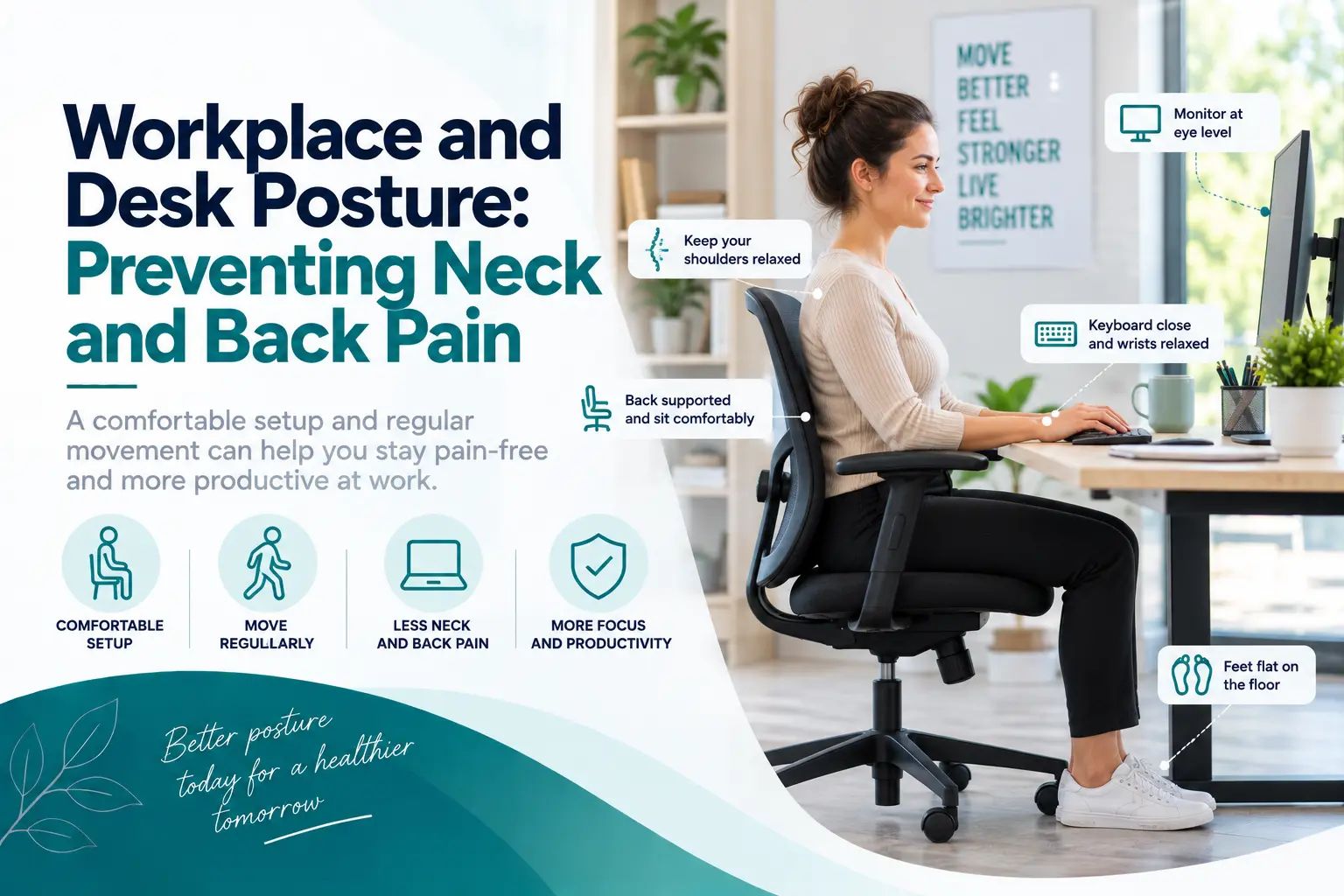
With that in mind, the point of setting up your workstation well is comfort and easy movement, not achieving a textbook pose. A few adjustments remove the awkward reaches and static strains that make sitting harder than it needs to be. The essentials, drawn from occupational health guidance, are below.
| Part of your setup | What to aim for | Why it helps |
|---|---|---|
| Chair | Feet flat on the floor or a footrest, thighs roughly level, back supported | Takes load off the low back and lets you relax rather than brace |
| Monitor | An arm’s length away, top of the screen at or just below eye level | Stops the constant forward tilt of the head that tires the neck |
| Keyboard and mouse | Close in front, elbows near your sides, wrists straight and relaxed | Keeps the shoulders down and the forearms unstrained |
| Laptop | On a stand with a separate keyboard and mouse | Fixes the low screen and cramped keys that force a hunch |
| What you reach for | Phone, notes and cup within easy reach; stand for the rest | Removes repeated twisting and stretching through the day |
You do not need an expensive chair or a fully kitted office to get most of this right; a cushion for support, a couple of books under a laptop and a clear desk surface cover the basics. The detail of monitor distance and chair height is covered well in the Mayo Clinic office ergonomics guide if you want to fine-tune it.
Movement is the most protective thing you can do at a desk
If the setup is the stage, movement is the actual performance, and it does more to prevent desk-related pain than any chair ever will. Even the best-arranged workstation cannot save a body that holds still for hours, which is why the single most useful habit is to break up sitting often. The aim is variety, not intensity:
- Change position regularly. Shift in your seat, cross and uncross your legs, lean back then sit forward; none of these is wrong, and rotating between them is the point.
- Stand and move every half hour or so. A trip to fill a water bottle or take a call on your feet resets the tissues far better than sheer willpower to sit well.
- Alternate sitting and standing if you have a sit-stand desk, rather than standing rigidly all day, which brings its own aches.
- Add a few easy movements, such as gentle shoulder rolls, looking over each shoulder, and a slow back arch, whenever you remember.
None of this needs to be a formal exercise routine. The value is in frequency, so tying a micro-break to something you already do, the end of a meeting, a fresh cup of tea, sending an email, quietly builds the habit that keeps your neck and back comfortable.
Tech neck: laptops and phones add a load you do not notice
Modern work has quietly made things harder on the neck. A laptop forces a compromise, because when the screen is at a comfortable height the keyboard is too high, and when the keyboard is right the screen drags your gaze and your head downward. The phone is worse again, pulling the head into a sustained forward tilt every time you scroll or type.
The fix is the same principle as everything else here: bring the device up towards you rather than folding yourself down towards it. Raise the laptop and add a separate keyboard, lift the phone closer to eye level, and keep any single stretch of screen time short. It is the hours of small forward loading, not one glance at a message, that a neck eventually objects to. That same steady load is a common source of the tight, knotted pain between the shoulder blades that desk workers so often describe.
Working from home needs the same ideas, improvised
A kitchen table and a couch were never designed for a full working day, but the principles travel. You can build a workable setup almost anywhere: raise the laptop on a stack of books and plug in a cheap keyboard and mouse, tuck a cushion behind your low back, and use a folded towel or footrest so your feet are supported.
Just as importantly, the shorter commute at home tends to mean even less incidental movement, so the habit of getting up regularly matters more, not less. Treat the walk to the kettle as part of the job. If your work carries other physical demands as well, our wider guide to preventing and managing workplace injuries looks at the bigger picture beyond the desk.
When desk-related neck or back pain needs a physiotherapist
Most desk-related aches settle once you add movement and tidy up your setup. It is worth getting assessed, though, if the pain is not easing after a couple of weeks, keeps returning, or is stopping you working or sleeping. A physiotherapist can work out what is driving it and give you a plan rather than a guess.
Depending on where you feel it, our guides to physiotherapy for neck and spine pain and a sore lower back go into each area in more detail. Seek prompt medical care instead if back or neck pain comes with numbness, weakness, or any loss of bladder or bowel control, which are signs that need a doctor.
Sorting out desk-related pain with Befit Physio in Carlingford and North Kellyville
If a stiff neck or an aching back has become the background noise of your working day, a physiotherapist can assess your movement, check what your setup is asking of your body, and build a simple plan to settle it and keep it away. That hands-on, exercise-led care is part of our treatment for ongoing neck and back pain, and you can be seen at our Carlingford physiotherapy clinic or with our North Kellyville physiotherapists.
| Desk job taking it out on your neck or back? Book a one-on-one assessment online, or call Carlingford on 02 9872 2005 or North Kellyville on 02 9624 2047. We will check what is driving it and build a plan around your workday. |
Frequently asked questions
Is there a correct sitting posture to prevent back pain?
Not a single one. The evidence does not support the idea that one perfect posture prevents pain or that a relaxed, slouched position causes it. What matters more is not staying in any one position for too long. A comfortable, adjustable setup helps, but its real job is to make it easy to move and change position through the day.
Do posture correctors actually work?
For preventing pain, there is little evidence they help, and they can work against you. A brace holds you in one fixed position, which is the opposite of the variety and movement your body actually benefits from, and it can let the muscles that support you do less. Building the habit of moving regularly is far more effective than wearing a device.
How often should I take a break from sitting?
A good rule of thumb is to change position or get up every half hour or so, though the exact timing matters less than doing it often. Short, frequent movement breaks beat one long stretch away from the desk. Linking a quick stand-up or stretch to things you already do, like finishing a call, makes it easier to keep up.
How should I set up my monitor and chair?
Set the monitor about an arm’s length away with the top of the screen at or just below eye level, directly in front of you so you are not twisting. Adjust the chair so your feet are flat on the floor or a footrest, your thighs are roughly level, and your back is supported. Keep the keyboard and mouse close so your shoulders stay relaxed.
Is sitting really bad for your back?
Sitting itself is not dangerous; prolonged, unbroken sitting is the issue, and so is believing your back is fragile. Backs are strong and designed to move, so the goal is not to fear the chair but to interrupt long spells in it with regular movement. If pain is persistent, an assessment helps rule out other causes and gives you a targeted plan.
About the author and clinical review
| Author: Anshu Sudan, Principal Physiotherapist and owner, Befit Physiotherapy & Sports Injury Centre (Masters of Physiotherapy, APA member). Clinically reviewed by: a physiotherapist at Befit Physio. Published 27 September 2026. Last reviewed 27 September 2026. Carlingford: Shop 2/1 Post Office St, Carlingford NSW 2118. North Kellyville: 15/21 Hezlett Rd, North Kellyville NSW 2155. Open Monday to Saturday, with late evenings till 8 PM. |
| Medical disclaimer This article is general information, not personal medical advice, and reflects current evidence as at September 2026. Neck and back pain have many causes, so see a physiotherapist or doctor for an individual assessment if your pain persists or worsens. Seek urgent medical care for numbness, significant weakness, or any loss of bladder or bowel control. |